Vino
Gnome desktop sharing
-
Start the Sharing configuration dialog tool:
Search for
Share(press: [Windows] to open the search tool) -
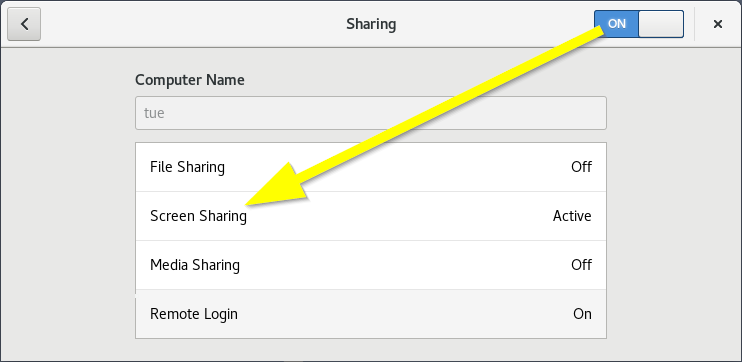
Set the relevant sharing options:
- Sharing → ON
- Screen Sharing → Active
-
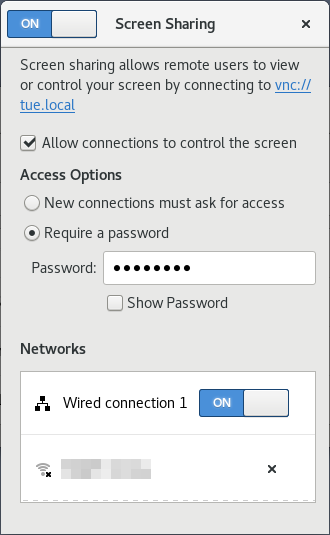
Configure Screen Sharing options as you deem fit.
EXAMPLE: Set a Password
Enable Networks
ISSUE: No supported authentication methods!
Windows clients are often unable to deal with VNC encryption. Instead they will throw an: 'No supported authentication methods!' when trying to connect to the server.
In that case you can consider turning off the VNC encription (NB: your connection will no-longer be secure):
$ gsettings set org.gnome.Vino require-encryption falseOnly do this on networks that you trust! Do not turn of encryption when connecting over a plain/insecure internet connection! In such cases a VPN or SSH tunnel should be utilised for their layer of protection!